Kaspersky Virus Removal Tool description

|

Another virus scanner and detection software from Kaspersky.

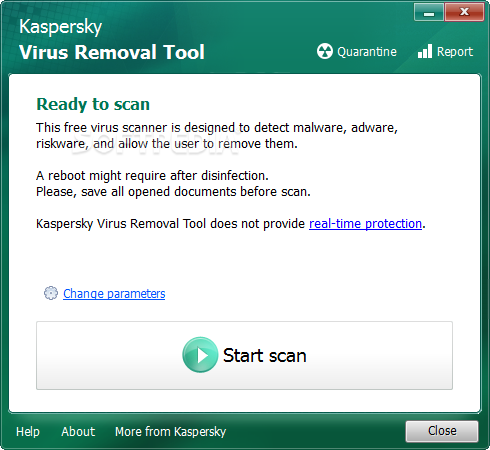
The Kaspersky Virus Removal Tool application was designed to be another virus scanner and detection software from Kaspersky. The produst will scan the specified locations for any virus threats and remove them or send to Quarantine folder.


Kaspersky Virus Removal Tool screenshot 1

Vista Codec Package description

|

With this package installed, you shouldn't need to install any other codec or filter

Codecs have been a problem for most users at one time or another. This is because there has never been an 'out of the box' working solution that the average computer user could install and just have everything work properly from the beginning.

There are several decent codec package solutions out there, but none of them did everything I wanted. I was always in need of a tweak, adjustment, or even a re-installation just to get the codecs I needed/wanted and most of the time, the file still didn't play properly.

I've never claimed to be a media guru. My media experience prior to creating these packages was to doubleclick a file I downloaded and hope that it played. So with the help of the MSFN community, I decided to package up the bare minimum of codecs required by most computer users and share them with the rest of the world.

The installer will automatically remove most other popular codec releases from your computer before installing this concise yet comprehensive package. You won't need to make any adjustments or tweaks to enjoy your media content immediately. Windows Media Player and Vista's Media Center will instantly recognize all your files as playable.

Vista Codec Package does not contain a media player software and it will not associate filetypes. With this package installed you will be able to use any media player, limited only by the players' capabilities, to play all movies and video clips. Streaming video is supported in several formats in all popular web browsers.

Users of VCP have the ability to choose what is installed and where to install it using the public redistributable. After installation you can select to remove specific portions without removing the entire package. You can also re-add the removed items at any time.

Vista Codec Package screenshot 1

Note: Some antivirus and antispyware programs flag Vista Codec Package as being infected/malware, although the application is perfectly safe and does not pose a threat to your system. This is called a 'false positive'. The term false positive is used when antivirus software wrongly classifies an innocuous ( inoffensive ) file as a virus. The incorrect detection may be due to heuristics or to an incorrect virus signature in a database. [Similar problems can occur with antitrojan or antispyware software.]

Firefox description

|

The browser provides virus, popup and spyware protection in a simple, easy to use tabbed interface

The Firefox project (formerly Firebird, which was formerly Phoenix) is a redesign of Mozilla's browser component, written using the XUL user interface language and designed to be cross-platform.

Firefox is a small, fast and very easy to use browser that offers many advantages over other web browsers, such as the ability to block pop-up windows and the tabbed browsing.

Here are some key features of "Firefox":

· Comprehensive popup controls to keep unwanted advertising off your desktop;
· A tab browsing mode that lets you open several pages in a single window, allowing you to load links in the background without leaving the page you're on;
· Integrated search (powered by Google);
· Industry leading accessibility with Find As You Type - find links and page text by simply typing;
· Simplified privacy controls that let you cover your tracks more effectively;
· A streamlined browser window that lets you see more of the page than any other browser while at the same time being more configurable;
· A large variety of free downloadable extensions and themes that add specific functionality and visual changes to the browser.

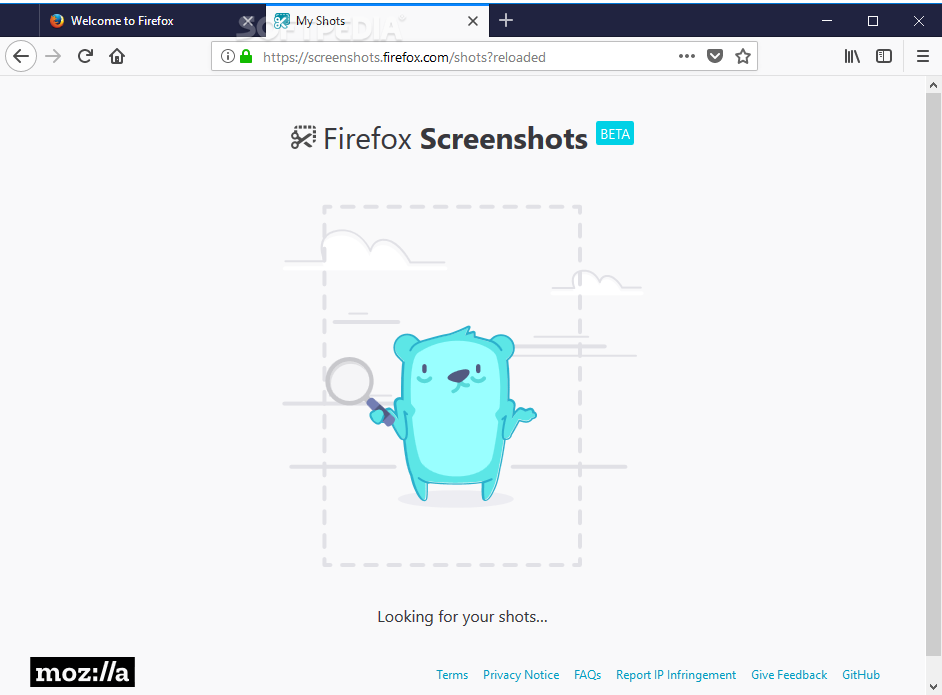
Firefox screenshot 5

Requirements:

· Pentium 233 MHz (Recommended: Pentium 500MHz or greater)
· 64 MB RAM (Recommended: 128 MB RAM or greater)

RealPlayer description

|

The all-in-one digital media player that lets you find anything and play everything

Helix Powered RealPlayer is the all-in-one digital media player that lets you find anything and play everything.

Now it includes an option to install the Real Toolbar for Internet Explorer.

Here are some key features of "RealPlayer":

Online Radio:
· Over 3200 stations worldwide & 60 ad-free stations for endless listening.

Expanded Controls:
· Optimize sound with the 10-Band Graphic Equalizer and get the sharpest picture with advanced video controls.

Advanced CD Burning:
· Rip, mix & burn CDs like a pro - fast! Encode MP3s at up to 320kbps.

Play Everything:
· RealOne Player plays all major media formats including Quicktime MPEG-4, Windows Media, DVDs, & more.

Easy, Fun & Intuitive:
· Browse the web, organize audio & video files, create playlists, & more!

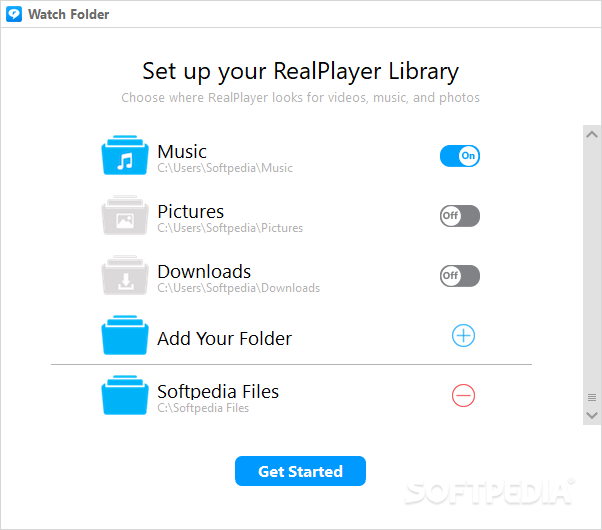
RealPlayer screenshot 1

Requirements:

· 1 GHz processor or greater (supports simultaneous record/playback features)
· 512 MB of RAM, 1 GB
· High-speed internet connection (audio/video)
· Full Duplex sound card and speakers
· CD and DVD writer (for CD and DVD writing features)
· DVD player and DVD playback software (for DVD playback)
· 4+ GB available disk space for saving media, and for creating CDs or DVDs

Limitations:

· Features not included in standard/free version :
· DVD/VCD Burning
· Toolbar Display Mode
· 10-Band Graphic Equalizer
· Extra CD Burning options such as Audio Filters and Multi-Session Burning
· Manual Media Conversion
· Print CD and DVD Jewel Case Inserts
· Print My Library
· Video Controls
· Crossfade
· Record Mic/Line In (Analog source recording)


· View, download, burn and organize internet videos with a one-click download button � from thousands of sites like YouTube, MySpace, and more. Keep the videos you want and build your own video library. Watch them when you want, online or offline, anywhere, anytime.
· Burn, transfer, and share your videos. Easily burn videos to CDs, which can be played on most DVD players. RealPlayer Plus also burns DVDs and SVCDs. Take your downloaded videos and watch them on your TV or a portable player. Share video links with friends and family by email.
· RealPlayer plays all major video formats, including Windows Media, Flash, QuickTime, RealMedia, AVI, and DivX.
· RealVideo streaming content starts up faster � less buffering.
· Improved playback quality and performance. Enhanced playback features such as full-screen with controls and resizing.
· The larger playback window provides a better viewing experience.
· The new look and feel reduces clutter and increases ease of use. The tabbed interface...

Reasons why this program is marked as ad-supported:

· ADWARE INCLUDED - you can, however, UNCHECK that ADWARE at installation: Google Toolbar
· installs Free Games & Music icon on desktop without asking

Rapidshare Auto Downloader description

|

A software for automatic download of rapidshare.com links for free users

Rapidshare Auto Downloader is a handy automatic downloader for rapidshare.com users.

Here are some key features of "Rapidshare Auto Downloader":

· Download a group of links from rapidshare (one by one).
· Download incomplete downloads until all links are downloaded.
· Autoshutdown feature
· Load and save the download list.
· Check for new versions automatically.
· Support of 3 Languages : English , Farsi , French

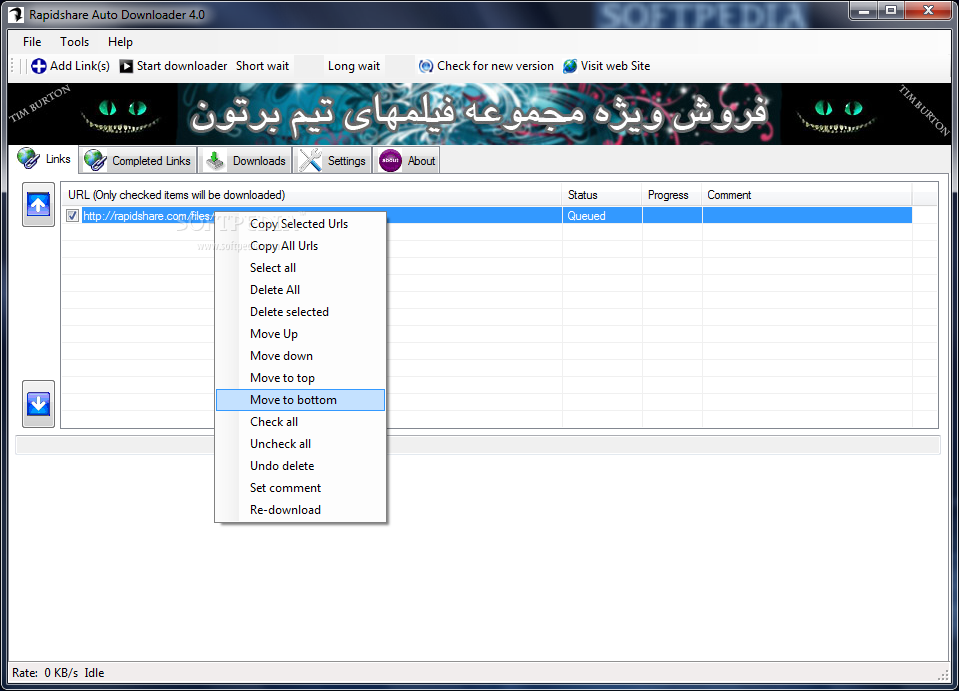
Rapidshare Auto Downloader screenshot 1

Windows XP Service Pack 3 description

|

Microsoft periodically combines updates, fixes, and other improvements into a single package - Service Pack

Microsoft develops updates, fixes, and other improvements that address issues reported by the company's customers and partners. To make it easier for customers to get these updates and enhancements, Microsoft periodically combines them into a single package, and makes that package available for all Windows customers.

These packages are called service packs", Microsoft revealed in the introduction of the Overview of Windows XP Service Pack 3. With the Release Candidates of Vista SP1 and Windows Server 2008 heading to increased testing pools the past week, and with Microsoft cooking the first public build of the first refresh for its latest Windows client, the official overview for XP SP3 is the only crumb from the service pack fiesta over at the Redmond company. The Release Candidate of XP SP3 in a pre-final stage has already shipped to MSDN and TechNet subscribers.

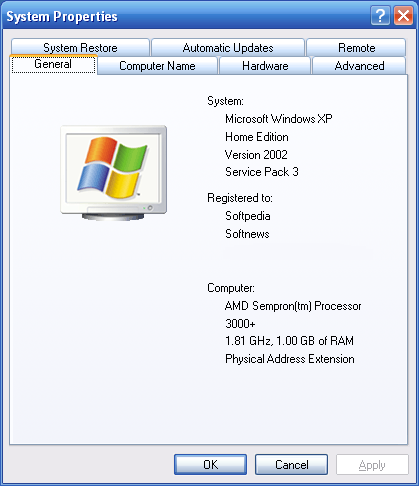
Windows XP Service Pack 3 screenshot 1
Windows XP Service Pack 3 Network Installation Package for IT Professionals and Developers

Windows XP Service Pack 3 (SP3) includes all previously released updates for the operating system. This update also includes a small number of new functionalities, which do not significantly change customers' experience with the operating system.

Note: Customers running Microsoft Dynamics Retail Management System (RMS) are advised to install a hotfix for a Microsoft Dynamics RMS issue prior to installing Windows XP SP3.


Windows XP Service Pack 3, Checked Build

Windows XP Service Pack 3 (SP3) includes all previously released updates for the operating system. This update also includes a small number of new functionalities, which do not significantly change customers' experience with the operating system. This specific package also contains debugging symbols specific to binaries included in Service Pack 3.

DO NOT CLICK DOWNLOAD IF YOU ARE AN MSDN SUBSCRIBER SEARCHING FOR FULL DEBUGGING SYMBOLS FOR WINDOWS XP: A more appropriate download is now available to MSDN subscribers on the Microsoft Developer Network.

Windows XP Service Pack 3 - ISO-9660 CD Image File

Windows XP Service Pack 3 (SP3) includes all previously released updates for the operating system. This update also includes a small number of new functionalities, which do not significantly change customers' experience with the operating system.

This file is a CD image file for users who wish to create an update CD for Windows XP Service Pack 3, for example for offline installation by administrators.

Note: Customers running Microsoft Dynamics Retail Management System (RMS) are advised to install a hotfix for a Microsoft Dynamics RMS issue prior to installing Windows XP SP3.


Windows XP Service Pack 3 MUI Pack Update

Install this package to get the Microsoft Multilingual User Interface Pack (MUI) Update for Windows XP Service Pack 3 (SP3). The best way to ensure you get Windows XP Service Pack 3 is by turning on the Automatic Updates feature in Windows XP.

DAMN NFO Viewer description

|

The BEST utility for viewing text files containing ASCII Art (NFO/DIZ/TXT)

DAMN NFO Viewer is an utility designed for viewing text files containing ASCII Art (e.g. nfo files), and it proved itself to be handy.

So, if you're fed up with starting some DOS-like file manager each time you need to view nfo file, or ain't too happy with the viewer you use, or (worst case) use Notepad - give this little tool a try.

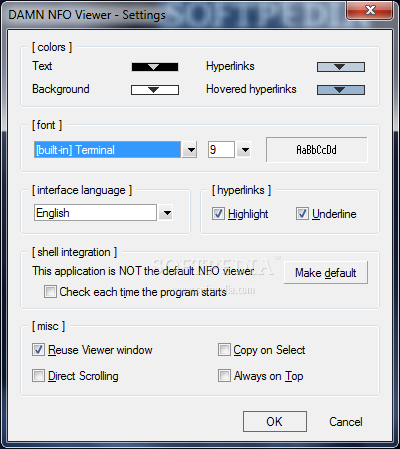
DAMN NFO Viewer screenshot 2

Here are some key features of "DAMN NFO Viewer":

· Available in multiple languages
· Chinese Simplified, Dutch, English, French, German, Italian, Norwegian, Portuguese, Russian, Spanish, Swedish, Turkish. You can choose the languages during installation and switch between them later via Settings dialog.
· Hyperlinks / Email addresses autodetection
· The viewer automatically detects hyperlinks / email addresses and shows them as clickable shortcuts.
· Customizable appearance
· You can set text/background colors, colors for hyperlinks and hovered hyperlinks, whether or not you want hyperlinks to be underlined, and choose between 3 built-in fonts, available in different sizes.
· Word Wrap
· You can switch between word wrap, character wrap and no wrap.
· Shell integration
· The Viewer can be set as the default application to open files with .nfo and .diz extensions. You get fancy file icons as a bonus.
· Smart line breaks handling
· Unix style line breaks are supported (that is, you won't notice any difference). Moreover, the Viewer correctly displays files with doubled/tripled/etc. (e.g. because of improper multiple UnixWindows conversions) line breaks.
· Unicode support
· Unicode version of the program is installed automatically if the operation system supports it. Unicode version provides better support for multilingual user interface.
· Copy-on-Select
· When this feature is on, text gets copied to clipboard automatically after you have finished selecting it (released shift key or left mouse button). After the selected text has been copied, the selected area will flash shortly and the text will get deselected (so for those who thought it's a bug: it is not).
· Direct Scroll mode
· In this mode there's no caret so you can't select text with keyboard, but you can navigate through file contents more easily (like in your browser). Turning it off makes it more like viewing a file in a text editor. and more...
· including Most Recently Viewed nfos list (accessible via menu or Alt+R), Drag&Drop support, ... well, check for yourself.

Nero 9 description

|

Simply Create, Rip, Burn, Copy, Share, Back Up, Play, and Enjoy

Nero 9 is the next generation of the world’s most trusted integrated digital media and home entertainment software suite. It features new cutting-edge functionality that makes enjoying digital media content simple.

Using Nero 9 you can now easily burn, rip and edit, convert and share, backup and protect your digital media. Whatever you want – music, video, photo, and data – enjoy and share with family and friends anytime, anywhere.

NOTE:
To install the application you need to get a Trial Serial Number
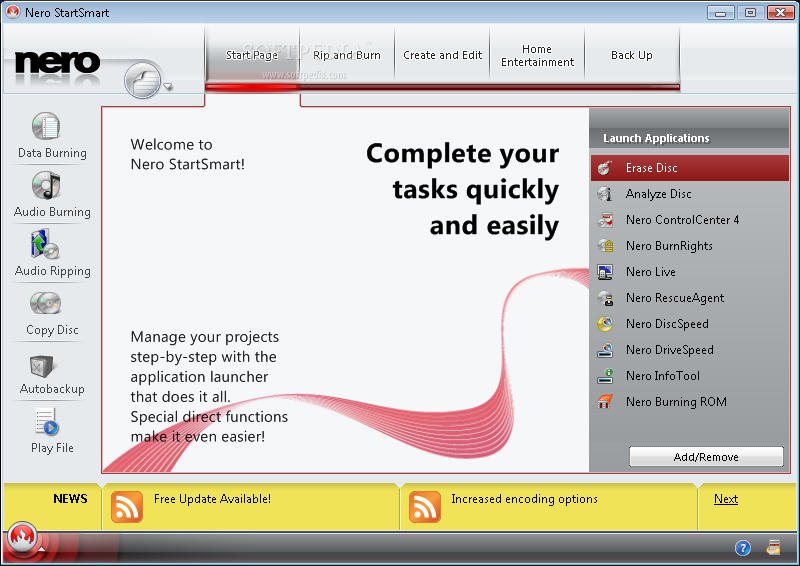
Nero 9 screenshot 1

Here are some key features of "Nero 9":

· Create & Edit
· Video - Whether you’re recording soccer games, concerts, or family reunions, get professional results in an easy-to-use video creation and editing tool. Use the Movie Wizard template library and create entertaining movies for every occasion (birthdays, weddings, vacations). Watch seamless movies or music videos, without commercials or other scenes interrupting, by using Ad Spotter to automatically cut them out. Become the movie director you were meant to be!
· Music - Dust off your old CDs and LPs and digitally archive them forever. Easily manage and play your favorite music titles with new music recognition service delivers accurate song and artist information, and album art (Powered by Gracenote). Browse media for playback, create playlists of your favorite audio tracks, shuffle and categorize tracks for easy reference. Simply create MP3 archives of your favorite Music videos with Music Grabber.
· Photo - Whether you’re recording soccer games, concerts, or family reunions, get professional results in an easy-to-use video creation and editing tool. Use the Movie Wizard template library and create entertaining movies for every occasion (birthdays, weddings, vacations). Watch seamless movies or music videos, without commercials or other scenes interrupting, by using Ad Spotter to automatically cut them out. Become the movie director you were meant to be!
· Convert & Share
· High-Definition - Make use of the latest AVCHD or HDV camcorders, edit your project in HD quality including Nero SmartEncoding for AVCHD and create an AVCHD disc on a regular DVD medium (red laser) or a BD-AV disc (blue laser).
· Convert & enjoy multimedia files on iPod, PSP - Convert your music, videos, and photos to DVD, CD, or your portable devices and enjoy them on the go. Convert your old CDs, LPs, and tapes to MP3s and save them forever – Gracenote MusicID will give you the track information, titles, and great album art to complete your collection.
· Internet - Upload your coolest photos and videos to share with online communities.
· Home Entertainment
· Media Center - NEW amazing TV experience from the comfort of your sofa gives you state-of-the-art TV technology, even for HDTV and DVB Radio. Integrates into Windows Vista Media Center and Windows XP Media Center Edition.
· High-Definition Television - Record, manage, playback, and enjoy your favorite TV shows – even for HDTV. Watch High-Definition TV and use the P-i-P (“picture-in-picture”) mode for watching 2 channels at the same time.
· Rip & Burn
· Best in the World! - Fast and easy ripping, burning and copying of CDs, DVDs and Blu-ray Discs directly through Nero StartSmart. With DVD-R Dual Layer and DVD+R Double Layer support, you’ll get more data on a disc than ever before!
· DiscCopy Gadget - One-click disc copy with Nero DiscCopy Gadget - optimized for Windows Vista.
· Personalized Disc Labels - Personalize your discs with labels, covers, and booklets, and choose from multiple templates or customize with your own images.
· Backup
· Protect and Archive Files and Data - Safely backup to archive, protect, and manage your multimedia library for generations to come. Don’t lose your valuable memories and important files to life’s potential hazards, or risky hardware – protectively archiving files and data is a point-and-click away.
· Securely Manage Content - Customize automatic functions for easy and convenient Autobackup for offline or online files storage. Schedule automatic backups to ensure consistency and recover and preserve files and data with Nero RescueAgent. Easily scan for most media types and files, with quick overview of damage and rescue status.

Requirements:

· A DVD-ROM drive is required for installation
· Internet Explorer 6.0 or higher
· 1 GHz Intel Pentium III or equivalent AMD and Intel processor (2 GHz Intel Pentium 4 or equivalent AMD and Intel processor for Windows Vista), 256 MB RAM (512 MB RAM for Windows Vista)
· 1.5 GB hard drive space for a typical installation of all components
· CD, DVD, or Blu-ray Disc recordable or rewritable drive for burning
· DirectX 9.0c revision 30 (August 2006) or higher
· Up to 9 GB available hard drive space for DVD images and temporary DVD files
· Graphics card with at least 32 MB video memory and minimum resolution of 800 x 600 pixels and 16-bit color settings (24-bit or 32-bit true color is recommended)
· Installation of the latest WHQL certified device drivers is strongly recommended
· For the Nero Online services: Nero product registration, product updates, patent activation, Gracenote services, Nero Online Backup, and other features (such as photo sharing) an Internet connection is required.

Limitations:

· 15 days trial
· AVCHD authoring and playback as well as MPEG-4 and BD-AV formats are not supported in the trial version

Changes/Bugfixes:
· The error message: "could not get ClassID" is no longer displayed after launching Nero Burning ROM.
· "Continue multisession" projects are displayed in the correct size.
· Volume is correct when using the "Save Tracks" option (MP3 only).
· Nero Recode (4.4.22.0)
Changes/Bugfixes:
· The option "Shutdown down computer when finished" works correctly.
· .TS files can be opened.
· The error message "Out of memory" is no longer displayed during the burn process.
· The error message "DirectShow error" is no longer displayed when encoding to an iPod format.
· Nero Vision (6.4.9.0)
New Features:
· Import your PowerPoint presentations and convert to DVD-Video or BD for TV playback (requires installed Microsoft Office PowerPoint 2003 or 2007)
· Archive HD movies in highest quality AVCHD format to HDD including USB stick and flash memory card, SD Card and Memory Stick(TM), even without the use of an optical recorder
Changes/Bugfixes:
· After exporting files from Nero Vision, it is pos...

Reasons why this program is marked as ad-supported:

· Offers to install ASK toolbar that the program does not require to fully function
Windows 7 description

|

Performance, reliability, security, and compatibility are core tenets of this release

Windows 7 is the next release of the Windows client operating system, built on the secure foundation of Windows Vista and Windows Server 2008. Performance, reliability, security, and compatibility are core tenets of this release as we collect your feedback to meet our engineering goals of making Windows 7 the best-performing and most stable Windows operating system to date. All the new innovations in this product are meant to enhance your capability as an IT professional to better provision and manage increasingly mobile PCs, to protect data, and to improve end-user and personal productivity.

Windows 7 Enterprise 90-day Trial

Windows 7 Enterprise was designed specifically for IT Professionals, so that you can test your software and hardware on a final version of the product. In addition, it provides the opportunity for you to become more familiar with the key improvements over previous versions of the Windows operating system, and experience firsthand how Windows 7 can make your PC environment more productive, secure, and manageable.

Guidelines on usage:
- Protect your PC and data. Be sure to back up your data and please don’t test Windows 7 on your primary home or business PC.
- You have 10 days to activate the product. If not activated within 10 days, the system will shut down once every hour until activated. Unsure on how to activate? Visit our FAQ.
- The 90-day Trial is the full working version of the Windows 7 Enterprise, the version most of you will be working with in your corporate environment. It will not require a product key (it is embedded with the download).
- The 90-day Trial will shut down once every hour when you have reached the end of the 90-day evaluation period.
- The 90-day Trial is offered for a limited time and in limited quantity. The download will be available through March 31, 2010, while supplies last.
- After the 90-day Trial expires, if you wish to continue to use Windows 7 Enterprise, please note that you will be required to purchase and perform a clean installation of Windows 7, including drivers and applications. Please keep this in mind; Windows 7 Enterprise is not available through retail channels.
- Technical details/updates/questions: Please review our FAQ or visit the Windows 7 support forum.
- Stay informed. You can keep up with general technical information and news by following the Springboard Series blog. Want technical guidance, tips, and tools? Visit the Springboard Series on TechNet.
- Keep your PC updated: Be sure to turn on automatic updates in Windows Update in case we publish updates for the 90-day Trial.
- Microsoft Partners-: Learn more about Windows 7 on the Microsoft Partner Portal.

Minimum System Requirements*:

1 GHz or faster 32-bit (x86) or 64-bit (x64) processor
1 GB of RAM (32-bit) / 2 GB RAM (64-bit)
16 GB available disk space (32-bit) / 20 GB (64-bit)
DirectX 9 graphics processor with WDDM 1.0 or higher driver
DVD-compatible drive
Internet access (fees may apply)
*Note: Some product features of Windows 7, such as the ability to watch and record live TV, BitLocker, or navigation through the use of “touch,” may require advanced or additional hardware. Windows XP Mode requires an additional 1 GB of RAM and 15 GB of available disk space; and a processor capable of hardware virtualization, with Intel VT or AMD-V turned on.

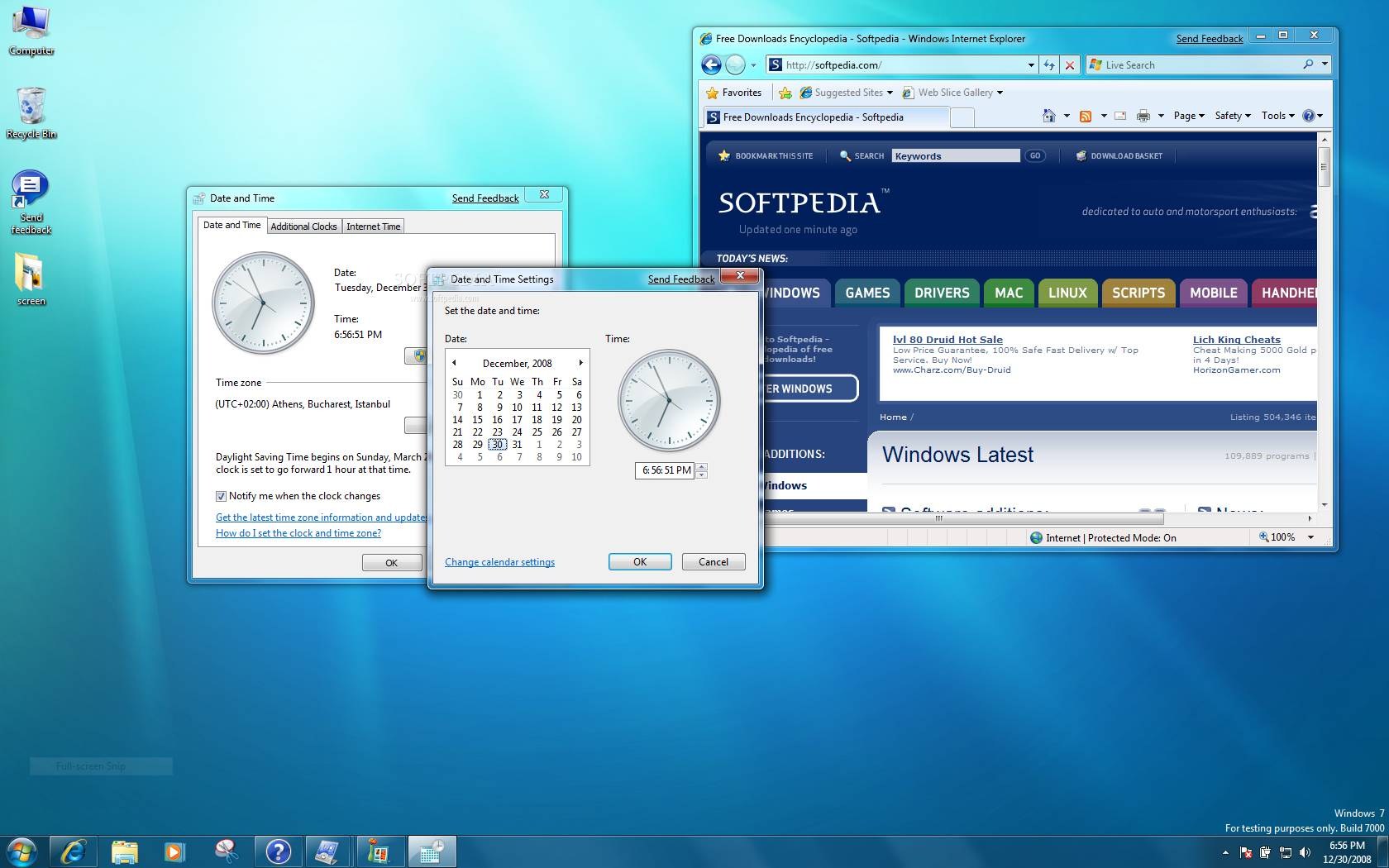
Windows 7 screenshot 3
Microsoft Windows 7 90-Day Eval VHD

This package comes as a pre-configured VHD. This download enables you evaluate Microsoft Windows 7. The Microsoft VHD Test Drive Program provides customers with an enhanced server-based software evaluation experience that’s faster, better supported and more flexible. You can now access the entire catalog of pre-configured Microsoft and partner products and solutions in the VHD format and start evaluating and testing today.

System Requirements
- Supported Operating Systems: Windows 7
- Windows Server 2008 Hyper-V is required to use this virtual machine
In addition to the system requirements for Windows Server 2008 as described in the release notes, a 64-bit system with hardware-assisted virtualization enabled and data execution prevention (DEP) is required.
- It is also recommended to ensure that you have a clean install of x64 edition of Windows Server 2008 to be able to use the Hyper-V technology.

Requirements:

· Processor: 1 GHz 32-bit or 64-bit processor
· Memory: 1 GB of system memory
· Hard drive: 16 GB of available disk space
· Video card: Support for DirectX 9 graphics with 128MB memory (in order to enable Aero theme)
· Drive: DVD-R/W drive
· Internet connection (to download the Beta and get updates)

AVG Anti-Virus Definitions description

|

Latest free virus definitons for AVG AntiVirus

In order to provide the highest level of antivirus protection for users of AVG Anti-Virus, GRISOFT continuously develops information about new viruses.

These downloads are for our new version AVG 8.0

This information, as well as product improvements, is provided to the users of AVG Anti-Virus in the form of Updates.

Timely virus database updates are the critical component for the effectiveness of any antivirus program. In order to ensure that your AVG is providing the maximum amount of antivirus protection, your AVG Anti-Virus System must be kept up-to-date.

Save update to a temporary location, open AVG control center, select the update button at the bottom, then the select folder button, and follow the prompts.

NOTE: It is strongly recommended that you perform all updates from the AVG Anti-Virus interface. The program can distinguish between full and differential updates; while this page offers only full update files for download.

AVG Anti-Virus Definitions screenshot 2


Media Player Classic for Win2k/XP description

|

An enhanced version of Windows Media Player 6.4

Window Media Player Classic is an enhanced version of Windows Media Player 6.4.

This program allows you to play DVDs with the help of external decoders like WinDVD and it can also play Realmedia files, if realplayer one is installed.

The best part about this program is the ability to modify the filters when playing your favorite video.

· MPC: Save image/thumbnails now also supports PNG
· MPC: Updated libpng to 1.2.32
· MPC: Fixed playlist shuffle functionality
· MPC: some minor changes


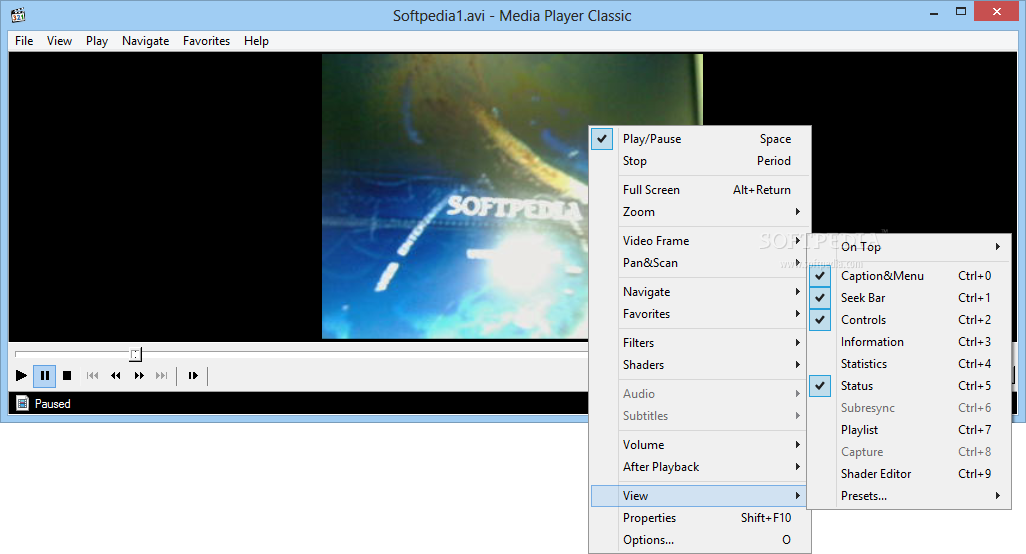
Media Player Classic for Win2k/XP screenshot 1

WorldUnlock Codes Calculator description

|

A free utility for unlocking Nokia, Siemens, Vitel, Maxel, Panasonic, LG, AEG,Samsung, and Motorola mobile phones

WorldUnlock Codes Calculator is a free utility for Nokia, Siemens, Vitel, Maxel, Panasonic, LG, AEG, Samsung, and Motorola unlock.

Includes MasterCode calculator that can reset your Nokia security code if you have lost it.

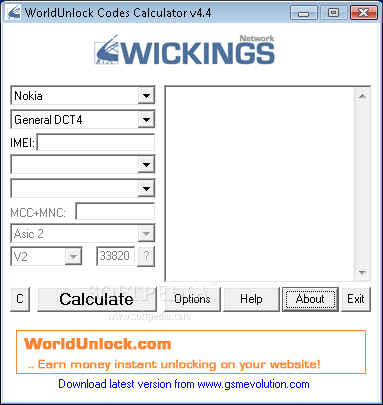
Easy guide to free Nokia unlocking:
(Please read the whole guide before starting)

Select phone model from list.
· 2. Enter IMEI number of your phone (Press *#06# on phone)
· Select country and service provider where the phone was bought.
· Hit the button: Calculate!
· The software generate some Nokia unlock codes.
· If 7 codes are displayed, use the code ending with +7 first.
· If it does not work, then try +1, and finaly +5.
· When phone displays "Sim restriction off" it is unlocked.
· If only two codes are displayed (+1 and +2) enter both of them!

Codes will be shown on the form: #pw+CODE+n#
To get p, w or +, pres the * button several times.

You enter the codes correctly by removing any simcard from the phone, turning the phone on and then enter the code.

WorldUnlock Codes Calculator screenshot 1

Here are some key features of "WorldUnlock Codes Calculator":

· Unlock Nokia
· Unlock LG
· Unlock Panasonic
· Unlock Maxon
· Unlock Samsung
· Unlock AEG/Telital
· Unlock Alcatel
· Unlock Siemens
· Unlock Sony
· Unlock Vitel

Reasons why this program is marked as ad-supported:

· Displays ad banners or other types of advertising material during its runtime

X360 Multiple Video Player ActiveX OCX description

|

ActiveX OCX use to play and control video files, AVI,DIVX,MOV,MPEG,VOB

X360 Multiple Video Player ActiveX Control helps application developers to control multiple video files playback simultaneously. It helps developers to create up to 10 video files playback at the same time.

Each layer plays a video and supports several properties such as ordering, alpha blending, size and position. Also, you can use it to fully control the audio and video stream. Play, pause, resume, stop, loop the stream.

Control the playback rate and adjust the volume and balance, or mute the audio stream. Setting an overlay bitmap over the video, the bitmap can be in GIF, JPEG, PNG, BMP, DIB, TGA, or DDS format.

The following audio file formats are supported:
■ MIDI.
■ MP3 (MPEG Audio Layer-3).
■ WAV

The following video file formats are supported:
■ AVI (Audio-Video Interleaved), DIVX, XVID.
■ DAT (VCD).
■ MOV (QuickTime) [need QT Decoder - download]
■ MPEG (Motion Picture Experts Group), MPEG-1, MPEG-2.
■ VOB (DVD). [need DVD Video Decoder, DVD Audio Decoder]

X360 Multiple Video Player ActiveX OCX screenshot 1

Here are some key features of "X360 Multiple Video Player ActiveX OCX":

· Allow Multiple video files playback simultaneously.
· Allow 10 video files playback at the same time.
· Each layer plays a video and supports several properties such as ordering, alpha blending, size and position.
· Support picture in picture.
· Swap between videos.
· Flip and mirror the videos.
· Fully control the audio and video stream.
· Play, pause, resume, stop, loop the stream.
· Control the playback rate.
· Adjust the volume and balance, or mute the audio stream.
· Drawing an overlay bitmap over the video.
· The bitmap can be in GIF, JPEG, PNG, BMP, DIB, TGA, or DDS format.
· Enable/Disable the overlay bitmap when the video is playing.
· Flip and mirror the overlay bitmap.
· Provide slide and strobe effects and allow to adjust the effect speed.
· Drawing an overlay text over the video
· User defined font, size and color.
· Enable/Disable the overlay text when the video is playing.
· Flip and mirror the overlay text.
· Provide slide and strobe effects and allow to adjust the effect speed.
· Support MIDI, MP3, WAV audio file formats.
· Support AVI, DAT (VCD), DIVX, MOV, MPEG-1, MPEG-2, VOD (DVD), XVID video file formats.
· Capture current image from the video. The bitmap format allows .bmp, .gif, .jpg, .png, and .tif.
· Get the current position of the stream in second or in HH:MM:SS format.
· Useful functions help user to create playback slider easily.
· Get useful information, for example video height and width and the duration.


©2009 Zahid Soft's | Template Blue by TNB